
Xsaviour
Keep your Xcode project ship shape. Xsaviour finds the files your project has lost, the files it has forgotten and the references that lead nowhere, explains each one, and puts them right.
 Free to download and scan · $3.99 · £3.99 for a year of fixes
- Errors
- Warnings
- Niggles
How it works
Scan, choose, fix
A merge goes wrong, a file gets moved in Finder, a folder gets deleted but not its reference. Xcode doesn't always tell you. Xsaviour reads the project file, compares it with what's really on disk, and lists everything that doesn't add up.
- Open your projectChoose the folder it lives in, or pick it from your recent projects. Workspaces with several projects are fine.
- Xsaviour looks for issuesIt checks every reference in the project file against the files on disk.
- See what's wrongEach issue is explained, errors first. Filter the list to one kind at a time.
- Choose the fixesPick an option for each issue, or Select Defaults to choose them all at once.
- Apply themXsaviour reminds you to commit your work to git first, then makes the changes.
- Your problems are overThe project file and the folders on disk agree again.
What it finds
Errors, warnings and niggles
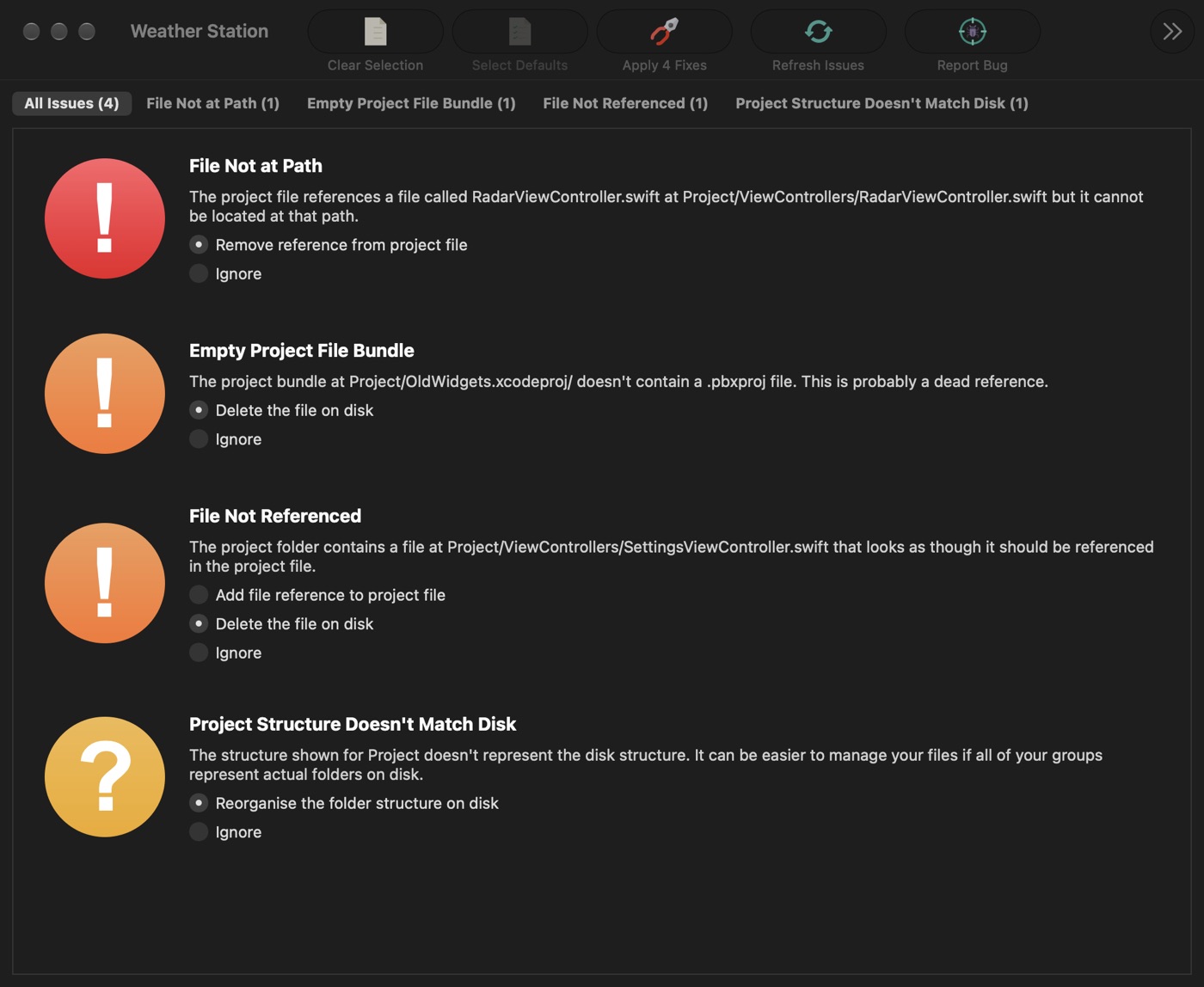
Every issue comes with a choice of fixes, and Ignore is always one of them.
Errors
The ones that usually break the build.
- File Not at Path
- The project points to a file that isn't there. If Xsaviour finds it elsewhere, it can move the file back or point the reference at it. Otherwise it can remove the reference.
- Group Not at Path
- The same, for a whole folder.
Warnings
Things that will catch you out sooner or later.
- File Not Referenced
- A file on disk that the project has forgotten. Add it or delete it.
- File Not Included In Target
- A file that's in the project but never gets built, often a unit test. Add it to the target.
- File Has Absolute Path
- A file that will go missing on anyone else's Mac. Make the path relative.
- Duplicate References and Dead References
- Leftovers from a bad merge. Remove them.
- Empty Project File Bundle
- An .xcodeproj with no project file inside. Delete it.
Niggles
Not broken, just untidy.
- Project Structure Doesn't Match Disk
- Groups in Xcode that don't match the folders in Finder. Reorganise the folders on disk to match.
- Null Build File Reference
- A build entry that points at nothing. Remove it.
Free to scan
See everything before you pay
Download Xsaviour free and scan as many projects as you like. Every issue is listed and explained, so you can always fix things by hand in Xcode.
- Scanning, explanations and filters are free
- To have Xsaviour apply the fixes, buy a year's access for $3.99 (£3.99)
- It doesn't renew automatically. When the year's up, Xsaviour asks whether you'd like another
Features
Careful with your project
- Explains every issueIn plain words, with the file's name and where the project expects to find it.
- Sorted and filteredErrors come first. A filter for each kind of issue shows how many there are.
- You choose the fixEvery issue offers its own options. Nothing changes until you press Apply.
- Notices changesIf the project changes on disk while it's open, Xsaviour offers to take another look.
- Leaves others' code aloneCocoaPods, Carthage checkouts and fastlane folders are skipped, and Swift packages are understood.
- Private bug reportsA report includes your folder structure and project file, with every other file emptied first.
A look inside
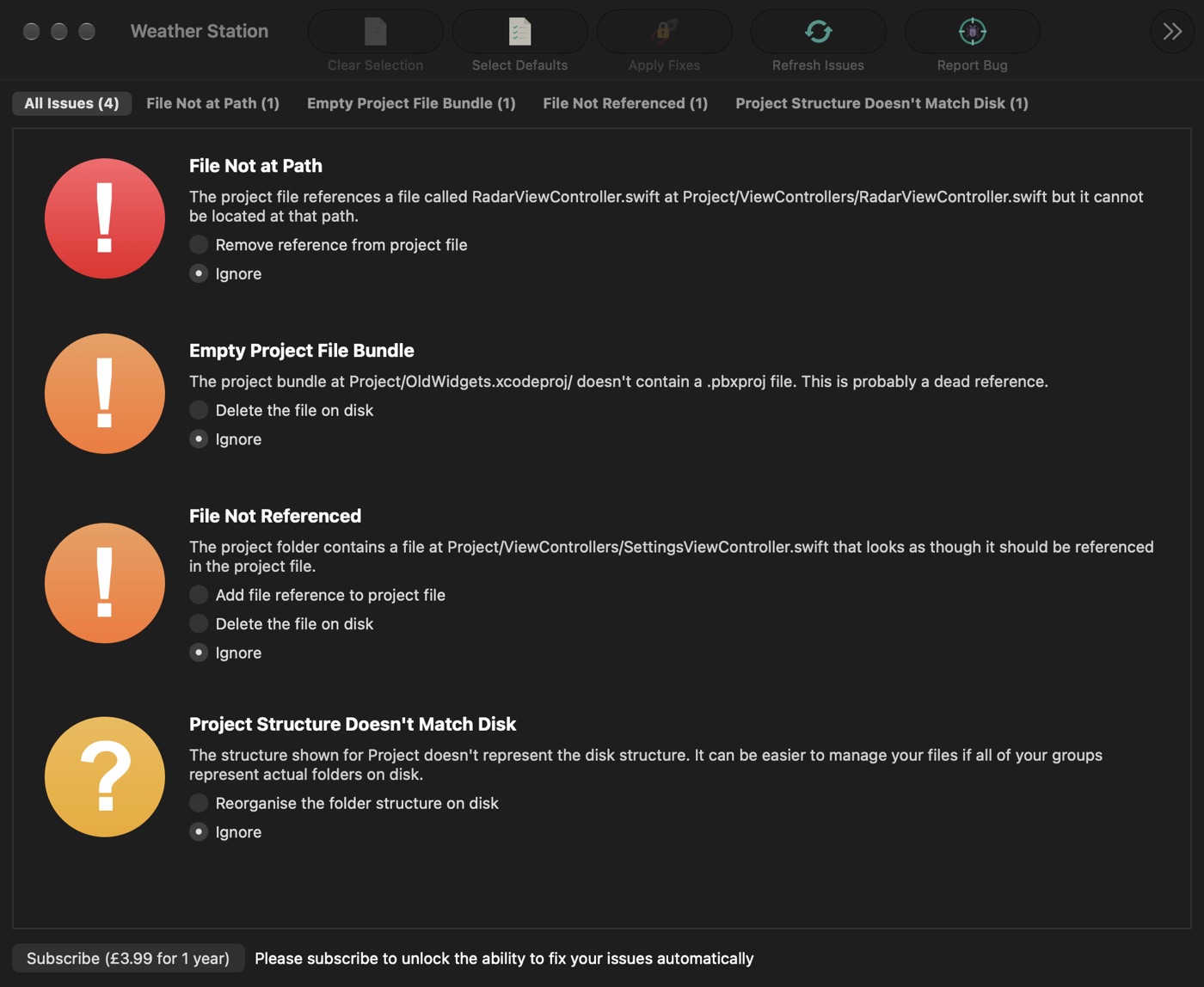
One list, every issue
Light or dark, Xsaviour follows your Mac's appearance.
Defaults chosen, ready to apply four fixes 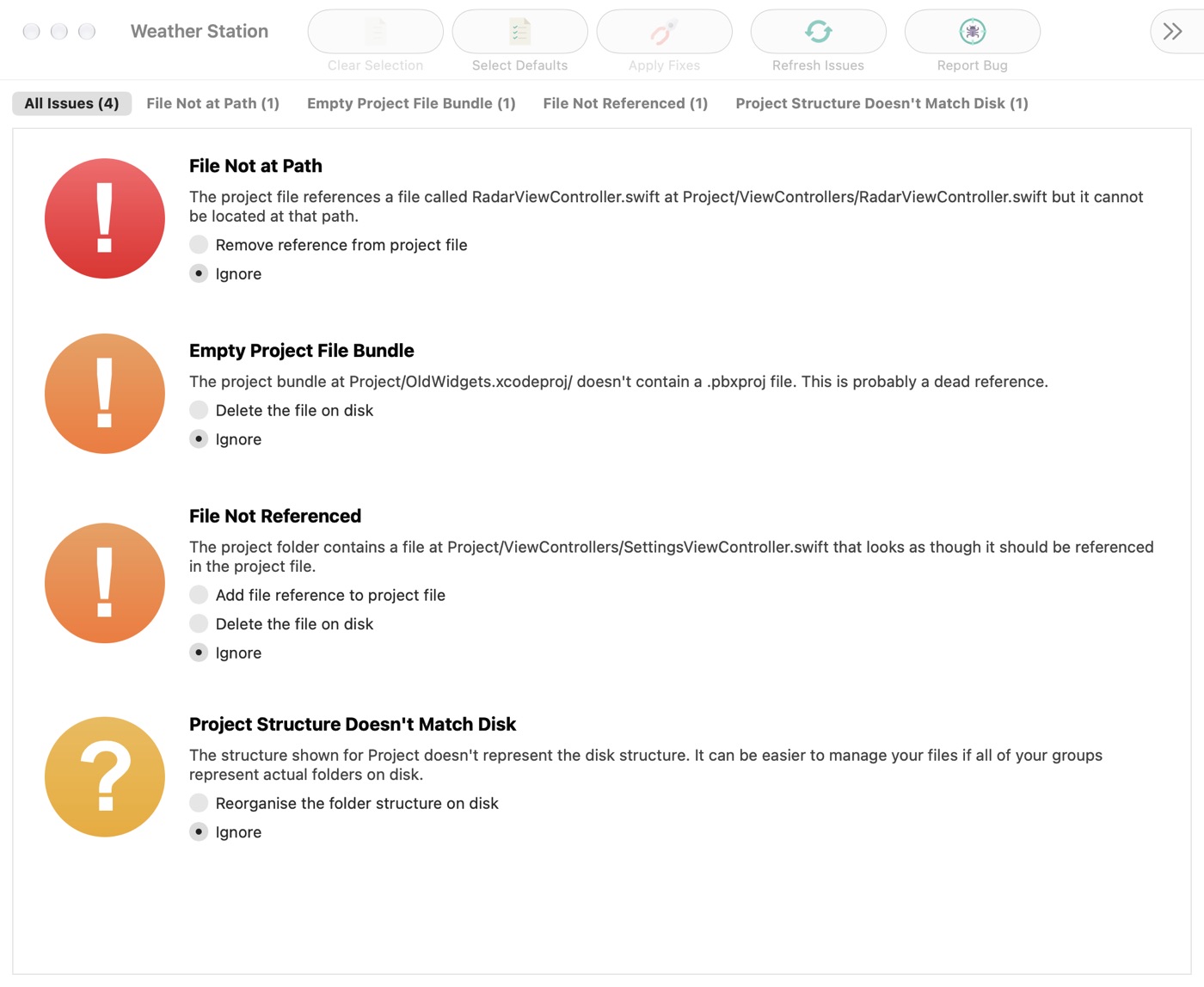
The same project in light mode
Get it
Try it on your project
Xsaviour
Free · fixes $3.99 (£3.99) for a year
- Scan as many projects as you like, free
- No automatic renewal
- Commit your project to git before applying fixes
 Making app icons? Asset Catalog Creator turns any image into a complete, ready-to-use app icon set for Xcode. See Asset Catalog Creator →
Details
- Works onMacs with macOS 10.13 High Sierra or later
- Version1.1.5, June 2021
- PriceFree to download and scan. Applying fixes needs a year's access, $3.99 (£3.99), which doesn't renew automatically
- ProjectsXcode projects and workspaces that organise files in groups. Projects that use the folders Xcode 16 introduced aren't supported yet
- LanguageEnglish
- Size8.3 MB
- PrivacyNo data collected
- Made byBridgeTech Solutions, in the UK