Asset Catalog Creator
Drop in one image and get every app icon size Xcode asks for, named and ready to use. For iPhone and iPad, Mac, Apple Watch, Apple TV and iMessage, plus @1x, @2x and @3x image sets.
 Free · iOS app icons included · Everything else unlocks in the app
Since 2014Making Xcode icons for over twelve years
How it works
One image in, a whole icon set out
An iOS app icon alone is 16 files at different sizes, each listed in a Contents.json. Asset Catalog Creator draws, names and lists them all, straight into your project.
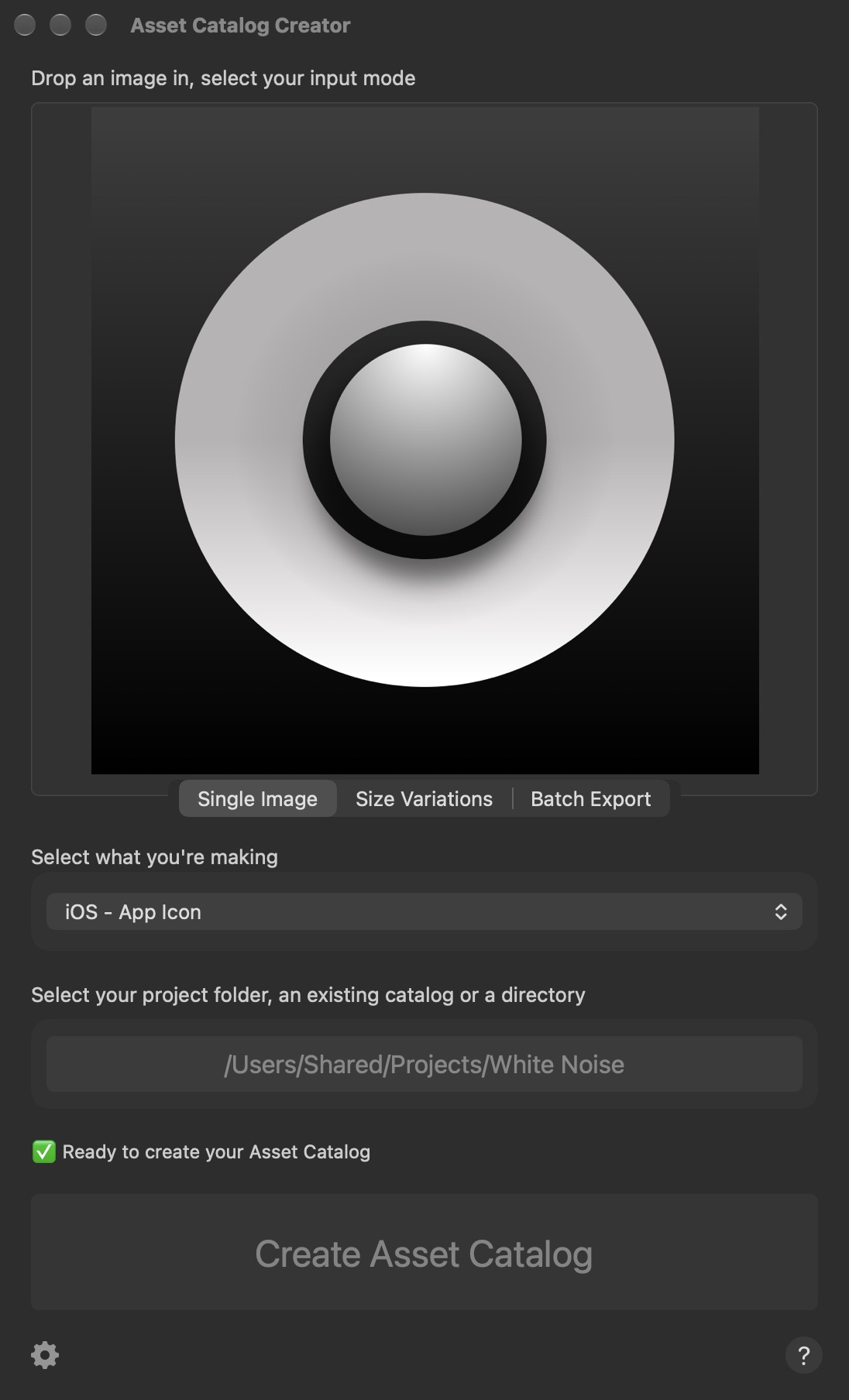

- Drop in an imageA PNG, JPEG, PDF, SVG and more. Or drop in several, and it picks the best one for each size.
- Pick what you're makingApp icons for iPhone and iPad, Mac, Apple Watch, Apple TV and iMessage, or an image set.
- Choose your project folderIt finds the asset catalog already in your project, or makes a new one.
- CreateEvery size is drawn, named and listed in Contents.json, and Finder shows you the result.
Every size
Sixteen files from one picture
This is the iOS app icon Asset Catalog Creator made from the White Noise icon above, drawn to scale. You never need to look a size up again.
From icon-20@2x.png at 40 × 40 pixels to ios-marketing.png at 1024 × 1024, for the Home Screen, Spotlight, Settings and notifications on iPhone and iPad, and the App Store.
What it makes
Every Apple platform
Fourteen kinds of asset, each in the format Xcode expects. File counts are from real exports.
-
iPhone and iPad
- App Icon Free · 16 files
- iMessage Icon 13 files
- Launch Screen older apps
Turn on CarPlay in Preferences to add its icons to the iOS export.
-
Mac
- App Icon 10 files, 16 to 1024 px
- Catalyst App Icons 26 files
Optional rounded corners, padding and a drop shadow, in the style of the macOS system icons.
-
Apple Watch
- App Icon 20 files
- Complication 28 files in 9 sets
Complications can also be saved as vector PDFs.
-
Apple TV
- App Icon layered
- Top Shelf and Top Shelf Wide
- Launch Screen
- Game Center Leaderboard and Dashboard
Build the layers of a parallax icon and see them stacked as you go.
-
Image sets
- @1x, @2x and @3x 3 files
- PDF or SVG 1 vector file
Set the size in points, or pick one of 32 presets, such as a tab bar icon or a menu bar image. Universal, or for iPhone, iPad, Mac, Apple TV or Apple Watch only.
-
From the command line
- Every type one command
Script the same exports from Terminal or a build step. See how.

Mac icons, finished for you
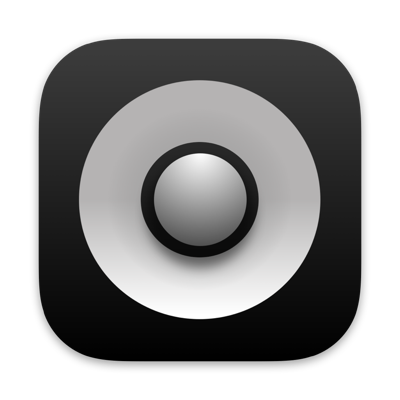
Turn on Round Corners, Padding and Drop Shadow in Preferences and square artwork comes out shaped and sized like the system icons introduced in macOS 11. Catalyst icons get all three by default.
Features
Fits the way you work
- Size VariationsDrop in the same artwork at several sizes or shapes, and each file is made from the closest match in size and aspect ratio.
- Batch ExportDrop in a folder of artwork and every image becomes an image set of its own, named after its file.
- Merges into your catalogAdd to the asset catalog you already have, keeping its folders. If a name is taken, choose to append to it, overwrite it or use a new name.
- Checks your imagesWarns you when an image is too small or the wrong shape, and removes the alpha channel from opaque icons so App Store Connect accepts them.
- Vectors stay vectorsPDF and SVG artwork can be saved as single vector PDF assets, so it stays sharp at any size.
- Remembers where you wereRecent images and output folders are a click away, and your settings sync between Macs through iCloud.
Command line
Script it
Everything the window does, from Terminal or a build script. Turn on the command line interface in Preferences first, so the app can reach your files.
# The command line tool is inside the app
acc="/Applications/Asset Catalog Creator.app/Contents/MacOS/Asset Catalog Creator"

# Make an iOS app icon and add it to the project's asset catalog
"$acc" -inputPath ~/Artwork/Icon.png \
    -outputPath ~/Developer/MyApp \
    -assetType iOSIcon

# Turn a folder of artwork into image sets
"$acc" -inputPath ~/Artwork/Toolbar \
    -outputPath ~/Developer/MyApp \
    -assetType asset -collectionType batch \
    -assetExistsAction overwrite
-inputPathAn image, or a folder of images-outputPathWhere the asset catalog goes. Defaults to the image's folder-assetTypeiOSIcon, macOSIcon, watchIcon, complicationIcon, iMessageIcon, tvOSIcon, asset, catalyst and more-collectionTypesingle, variants (Size Variations) or batch-assetCatalogExistsActionWhat to do if there's already a catalog: increment, overwrite, append or cancel-assetExistsActionWhat to do if an asset has the same name. Run with-helpfor the full list
A look inside
One small window
Light or dark, it follows your Mac's appearance.
An iOS app icon from a single image 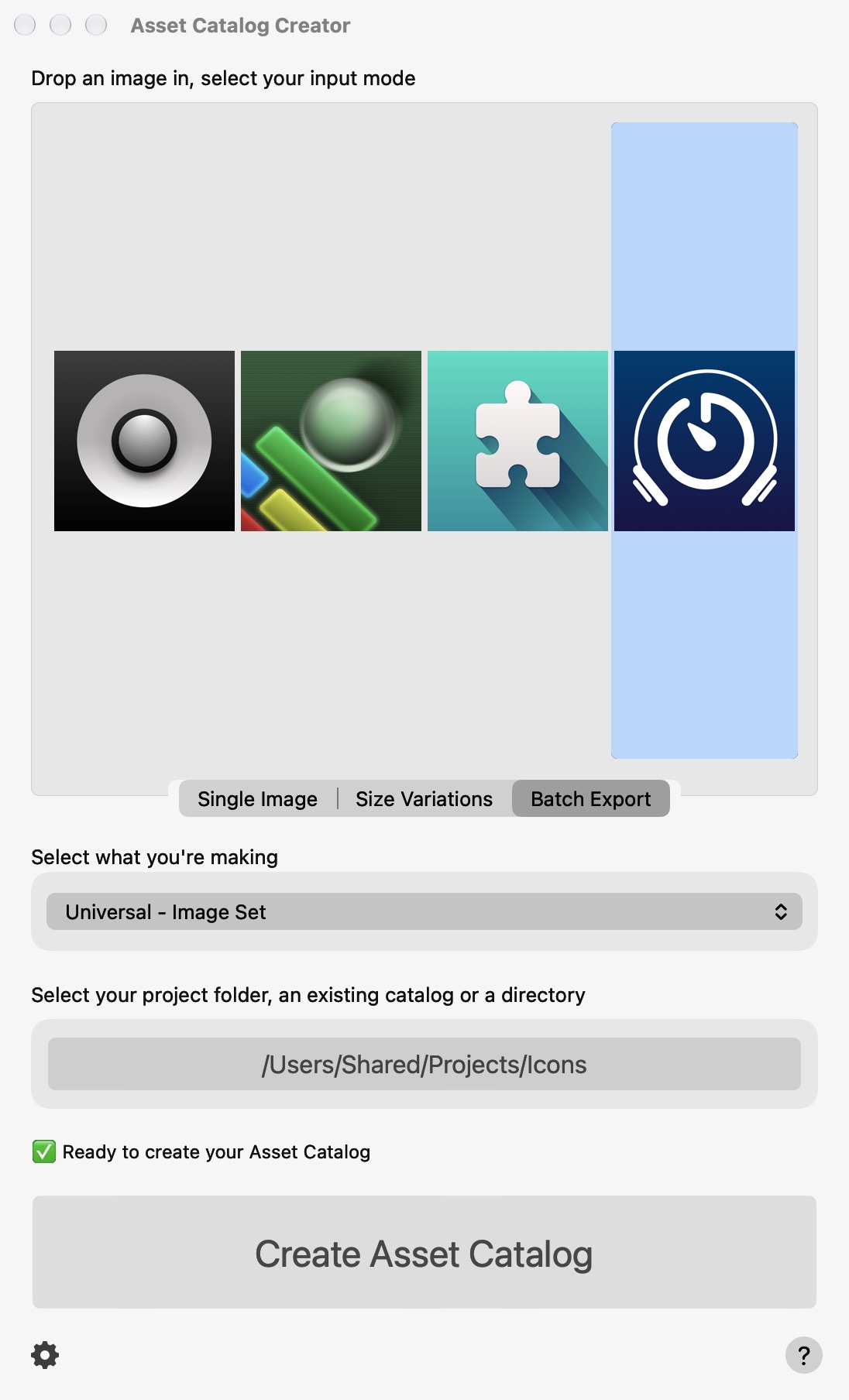
Batch Export: four images, four image sets 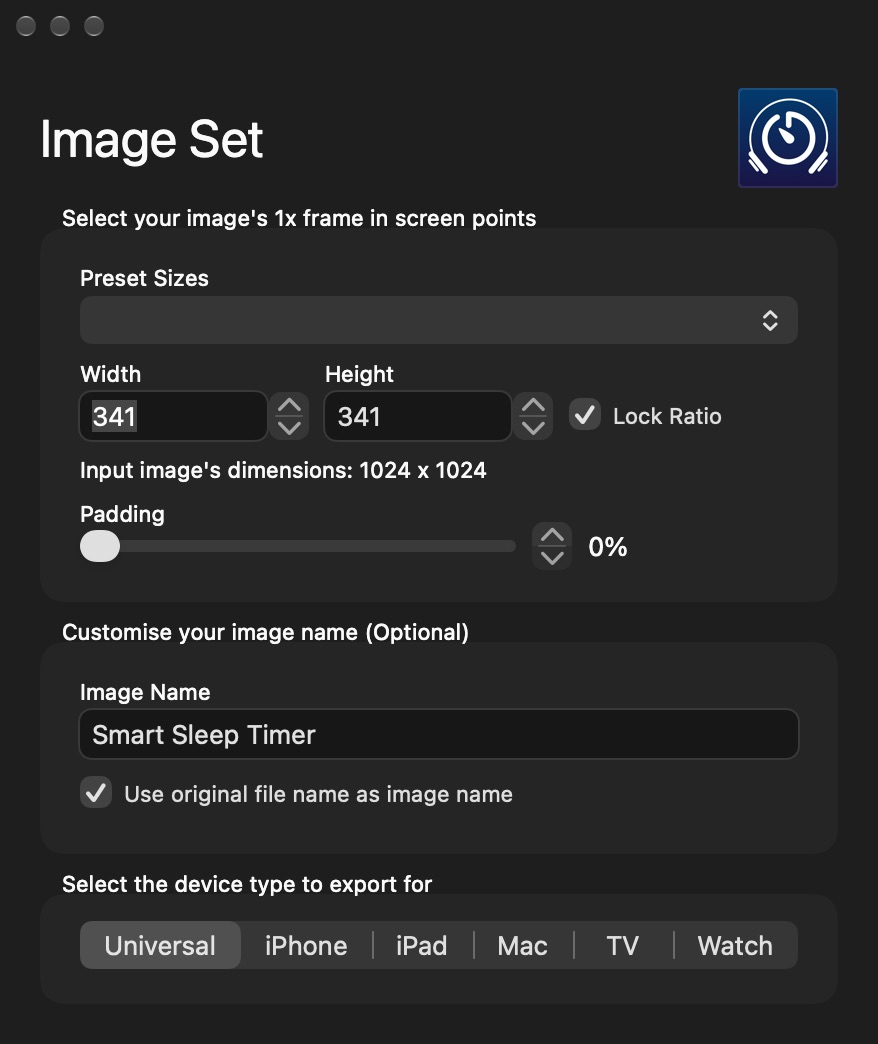
Image set options: size in points, padding, name and device 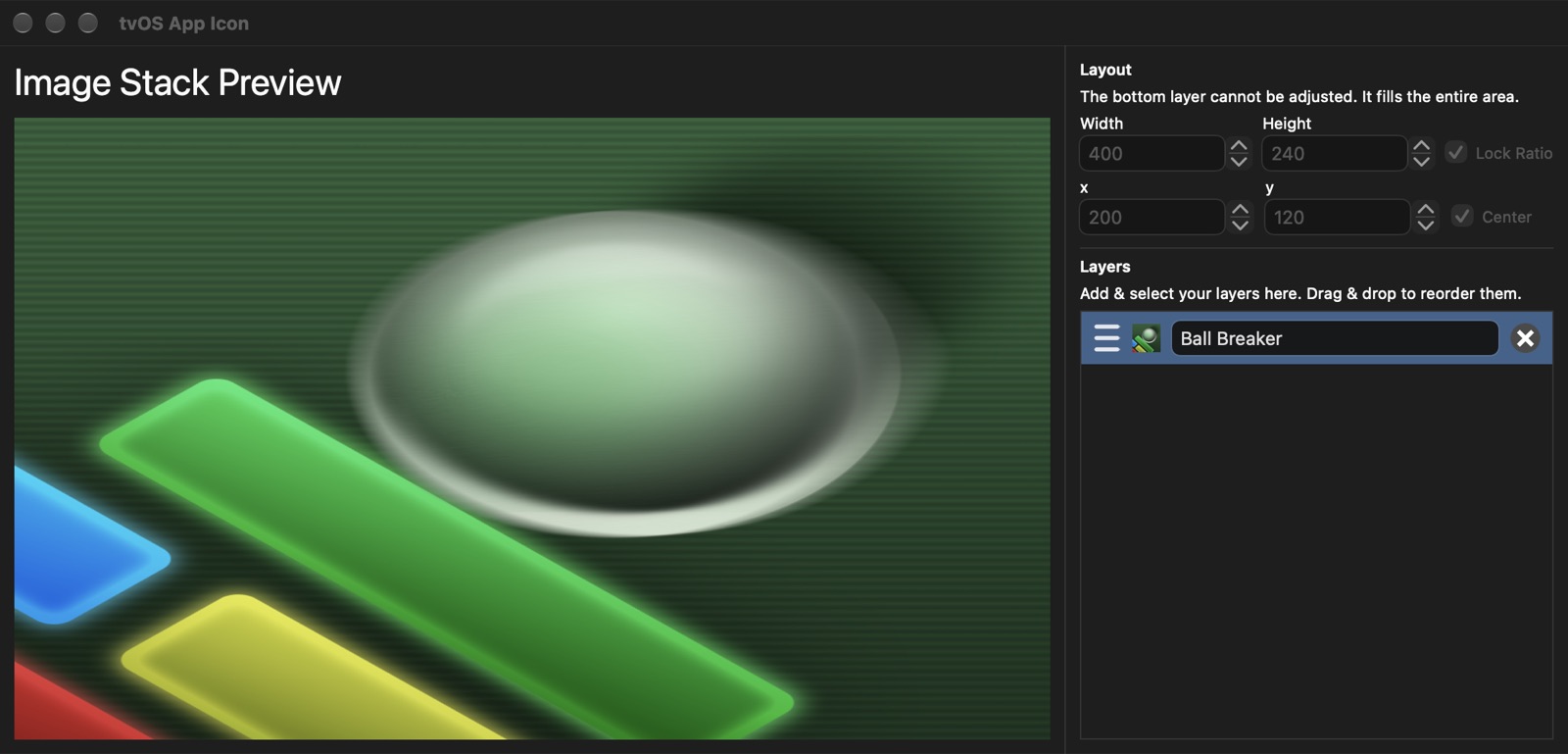
The Apple TV icon editor: arrange the layers of a parallax icon
Get it
Free to start
Two versions with exactly the same features. Pick how you'd like to pay.
Asset Catalog Creator
Free
- iOS app icons included, free
- Unlock other kinds of asset one at a time, with one-off in-app purchases
- Or subscribe to unlock everything
Asset Catalog Creator Pro
$14.99 · £14.99, a one-off purchase
- Every kind of asset unlocked from the start
- Nothing else to buy, no subscription
- Free updates through the Mac App Store
Using Setapp? Asset Catalog Creator Pro is included in your subscription.
 Need your icon for a web page or a slide? Squircle gives any image the rounded corners of an app icon, iOS 26 shape included. See Squircle →
Details
- Works onMacs with macOS 12 Monterey or later
- Version3.13, October 2025. First released in April 2014
- PriceFree with in-app purchases, or Pro for $14.99 (£14.99)
- ReadsPNG, JPEG, BMP, PDF, SVG and more
- MakesXcode asset catalogs (.xcassets), complete with Contents.json
- Size7.2 MB
- Made byBridgeTech Solutions, in the UK